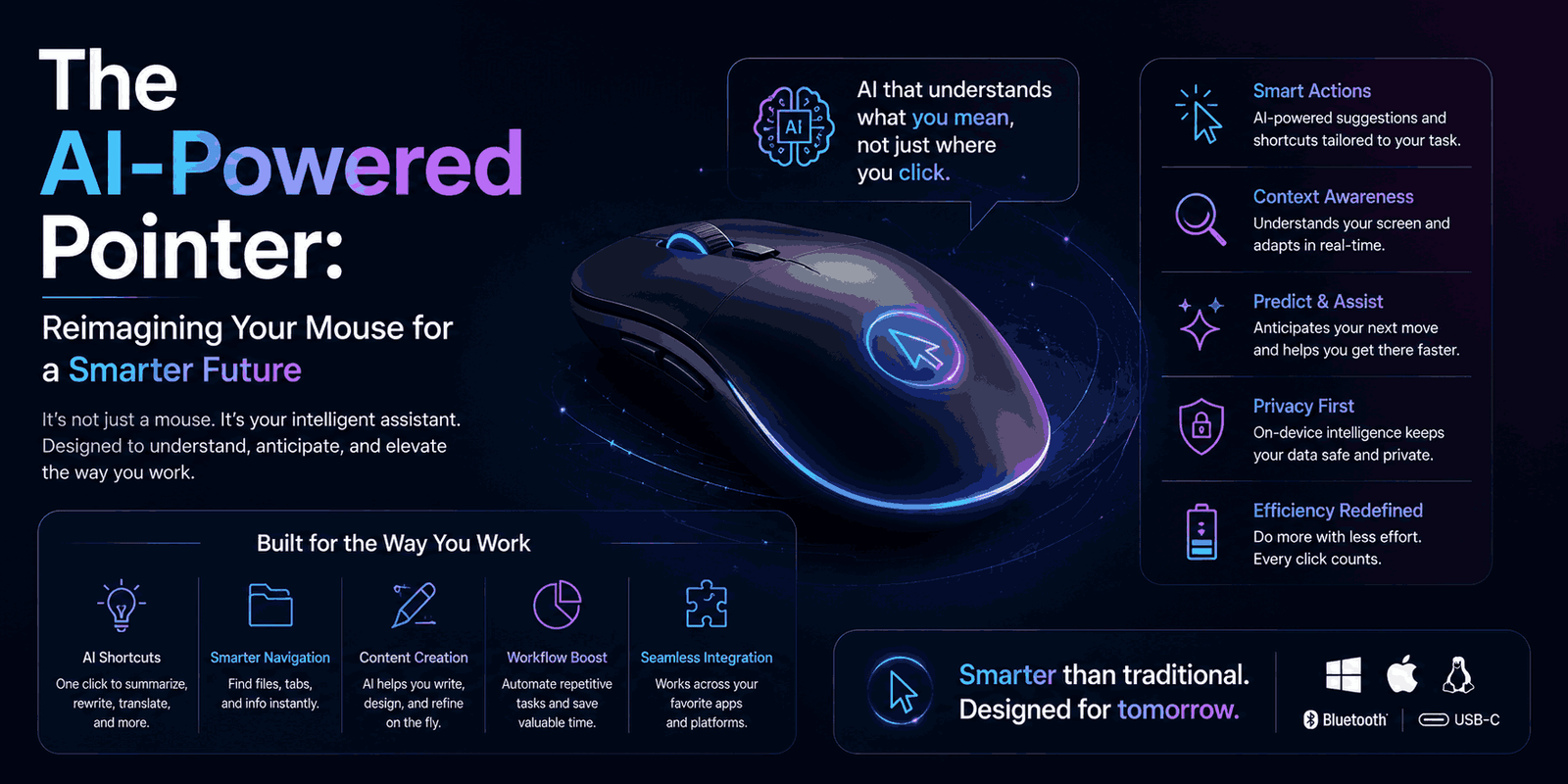
For decades, your mouse pointer has been a trusty sidekick on your computer screen. It’s helped you click, scroll, and navigate countless digital spaces. But let’s be honest: its main job has always been to show you where you are.
What if it could do more? What if your pointer actually understood what you were looking at, and even why it mattered to you?
Google DeepMind is making this a reality. They’re changing how we interact with AI by rethinking the humble mouse pointer. It’s becoming an intelligent assistant that understands context and your intentions. This isn’t just about moving a cursor anymore; it’s about making AI work with you, in a way that feels completely natural.
What Exactly Is This AI-Enabled Pointer?
Imagine an AI tool that doesn’t live in a separate window, constantly asking you to drag your work over. Instead, this AI-enabled pointer comes to you, right where you are. It understands the content directly under your cursor.
This intuitive system, powered by Google’s Gemini AI, aims to smooth out the typical friction of using artificial intelligence. The problem it solves is clear: most AI tools today need specific, often long, text prompts, or they force you to leave what you’re doing. This new pointer wants to blend AI directly into your workflow, letting you use AI with simple gestures and natural language – like just pointing.
Key Features: How It Works
Google DeepMind has laid out four main ideas behind this smart pointer. The goal? Let the computer handle the heavy lifting of understanding context and your intent, not you.
1. Maintain the Flow
No more constantly switching between apps! This AI pointer brings AI capabilities right into your programs. It’s designed to be available wherever you’re working, so you don’t hit those “AI detours” that break your focus.
Example: Picture this: You’re viewing a PDF. You just point at a section and tell the AI, “Summarize this in bullet points.” You can then paste that summary directly into an email, all without ever leaving your PDF viewer.
2. Show and Tell
Ever feel like you need to write a mini-essay to get a good response from an AI? This new pointer simplifies things. It captures both the visual information and the meaning of what’s around your cursor. Essentially, the AI “sees” what you’re focusing on.
Example: Just point at a single word, a paragraph in an article, a part of an image, or even a block of code. The AI knows exactly what you mean and is ready to help.
3. Embrace the Power of “This” and “That”
Think about how we talk to each other. We often use simple phrases like “fix this,” “move that here,” or “what does this mean?” We rely on gestures and shared context. This AI system is built to understand that natural blend of context, pointing, and speech. This means you can make complex requests using simple, everyday language – goodbye, fiddly prompts!
4. Turn Pixels into Actionable Entities
For decades, computers only knew where your pointer was on the screen. Now, AI can understand what your pointer is resting on. This amazing ability turns ordinary pixels into structured, interactive items like locations, dates, and objects.
Example: A quick photo of your handwritten grocery list could instantly become an interactive to-do list. Or, if you pause a travel video on a scenic restaurant, the AI could offer a direct booking link.
Real-World Use Cases
The possibilities for an AI-enabled pointer are huge and practical, making many everyday tasks much smoother:
- Navigation: Point to a picture of a building and say, “Show me directions.”
- Document Summarization: Highlight a section of a PDF and ask for a bullet-point summary. Great for students or anyone who needs quick info.
- Data Visualization: Hover over a table of numbers and request a “pie chart version” to grasp the data better.
- Recipe Modification: Select a recipe and ask the AI to “double all the ingredients.”
- Product Comparison: On an online store, select a few items and ask Gemini in Chrome to “compare these features.”
- Home Design: Point to a spot in a photo of your living room and ask the AI to “visualize a new couch here.”
- Interactive Notes: Snap a photo of a handwritten note, and it could instantly become an editable, interactive to-do list.
- Travel Planning: Pause a travel video on a beautiful spot, and the AI could provide booking links for nearby hotels or restaurants.
You can already try some experimental demos in Google AI Studio. Check out how to edit an image or find places on the map just by pointing and speaking. Google is also rolling out features like Gemini in Chrome and the upcoming Magic Pointer in Googlebook laptop experience, bringing similar AI magic directly to those platforms.
Why This Matters
This isn’t just a cool tech trick; reimagining the mouse pointer is a huge step towards truly intuitive AI. Here’s why it’s important for everyone – businesses, creators, and everyday users:
- Boosted Productivity: No more complex prompts or app-hopping. Users can finish tasks faster, whether it’s content creation or data analysis.
- Seamless Automation: AI automation will feel less like a separate chore and more like a natural extension of how you use your computer.
- Easier for Everyone: Beginners often struggle with writing good AI prompts. This “point and speak” method makes AI super accessible and user-friendly.
- Natural Interaction: It mimics how humans communicate, making your conversations with AI feel smooth, not robotic.
- Smarter Responses: The AI understands the full context – visual and semantic – leading to much more accurate and helpful answers.
Who Is This For?
The AI-enabled pointer is designed to help a wide range of people:
- Beginners: New to AI? This makes it so much easier to get started without needing to learn tricky prompts.
- Marketers: Quickly generate content ideas, summarize research, or tweak images for campaigns – just point and speak.
- Developers: Understand code blocks, create documentation, or debug with smart, contextual AI help.
- Content Creators: Streamline tasks like image editing, video analysis, or outlining articles with simple gestures. (This ties into an AI Blogging Guide).
- Businesses: See increased efficiency across teams, from faster report generation to better internal communication.
- Freelancers: Looking for AI side hustles? These tools can help you deliver projects quicker and more effectively.
- Agencies: Managing multiple clients and tasks? The workflow improvements will be invaluable.
- AI Enthusiasts: You’ll love this human-first approach to AI interaction.
- Students: Get quick summaries of documents, research help, and better note organization. It’s one of the best AI tools for students.
Pros and Cons
Like any new technology, the AI-enabled pointer has its good points and things to consider.
Pros:
- Super Intuitive: Talking to AI becomes as easy as pointing and speaking.
- Seamless Integration: AI features are woven right into your apps and daily tasks.
- Less Prompting Effort: No need for long, detailed text prompts. AI becomes more approachable.
- Context-Aware: The AI knows not just where you point, but what it is and why it matters.
- Increased Efficiency: Speeds up tasks by cutting out context-switching and simplifying AI use.
- Turns Pixels into Actions: Makes static content on your screen dynamic and interactive.
Cons:
- Still Early Days: Many features are prototypes or just starting to roll out.
- Limited Availability: Mainly integrated into Chrome and Googlebook for now.
- New Way to Interact: While intuitive, adopting this new computer interaction method will take some getting used to.
- Google-Centric for Now: It currently relies on Google’s AI (Gemini) and platforms.
- Potential for Misunderstanding: Even advanced AI can sometimes misinterpret subtle requests.
Alternatives
While an AI-enabled mouse pointer is a pretty fresh idea, the goals behind it – making AI more useful and productive – are shared by many existing AI tools.
For general AI help, people often use large language models like ChatGPT vs Gemini for writing, summarizing, or brainstorming. For creative tasks, there are image generators like Midjourney or DALL-E (which Nano Banana and Imagen also compete with). However, these tools usually need you to type your request into their own interface. That’s exactly the “AI detour” Google DeepMind wants to eliminate.
The AI-enabled pointer aims to embed this intelligence directly into your operating system and browser, giving you a much more integrated experience compared to using standalone AI apps.
Beginner Tips
Ready to dive into this new way of using AI? Here are some simple tips to get you started:
- Keep It Simple First: When you try the experimental demos in Google AI Studio (like “Edit an image” or “Find places on the map”), start with straightforward commands.
- Use “This” and “That”: Practice speaking naturally. Instead of a long, descriptive prompt, try pointing at something and saying, “Make this brighter” or “What’s this address?”
- Explore Gemini in Chrome: If it’s available to you, try using Gemini in Chrome to ask questions about web pages. Select text or elements and see what Gemini can do.
- Think Contextually: Before you speak, pause and consider what your pointer is currently on. The AI is designed to use that visual information.
- Look for Workflow Wins: Think about your daily tasks where you usually copy-paste or switch between apps. How could a contextual AI pointer simplify those steps?
FAQ Section
Q1: What is the AI-enabled pointer?
The AI-enabled pointer is a new interface concept from Google DeepMind that integrates artificial intelligence directly into your mouse pointer. It allows the pointer to understand not just where you are pointing, but also what you are pointing at and the context surrounding it, enabling more intuitive AI interactions.
Q2: Which AI technology powers this new pointer?
This AI-enabled pointer is powered by Google’s Gemini AI.
Q3: Where can I try the AI-enabled pointer?
You can try experimental demos of the AI-enabled pointer in Google AI Studio to edit images or find places on maps. Google is also integrating these principles into Gemini in Chrome and the upcoming Magic Pointer in Googlebook.
Q4: How does the AI-enabled pointer differ from a regular mouse pointer?
Unlike a regular mouse pointer that only tracks location, the AI-enabled pointer uses AI to understand the visual and semantic context of what you’re pointing at. This allows it to turn pixels into actionable entities and respond to natural language commands based on that context.
Q5: What are the main benefits of using an AI-enabled pointer?
The key benefits include more intuitive AI interaction, seamless integration of AI into your workflow, reduced need for complex text prompts, increased efficiency, and the ability to turn static digital content into interactive, actionable entities.
Final Thoughts
The AI-enabled pointer marks a big change in how we might use computers in the future. It’s a shift towards a more human-centered approach, where technology molds itself to our natural behaviors instead of us having to adapt to it. By making AI contextual and seamlessly integrated, Google DeepMind is paving the way for a digital experience that feels more intuitive, fluid, and truly helpful. This could fundamentally change our daily digital routines, making every click and command just a little bit smarter.
Want more AI tools, AI blogging tips, and AI money-making guides? Visit MakeDigitalProfits.com